


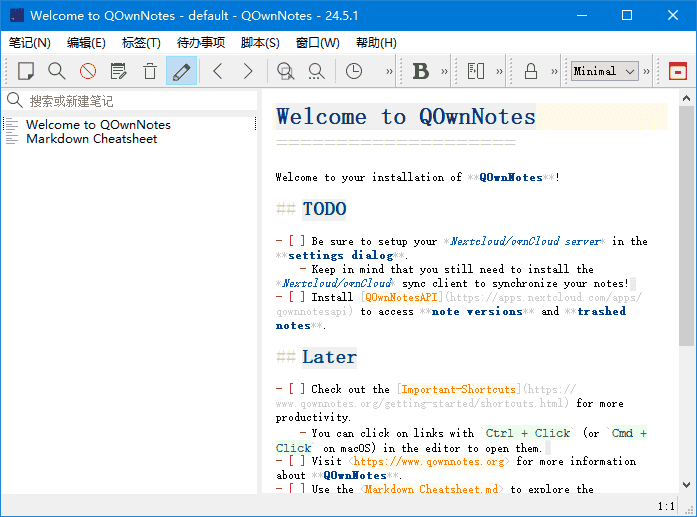
QOwnNotes是一款功能强大的跨平台笔记应用程序,可以帮助用户轻松管理笔记、任务和清单。
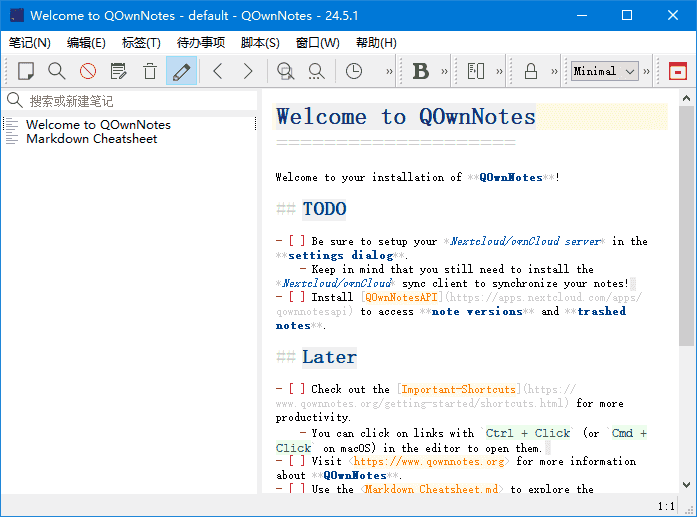
软件特点
1.支持多种编辑器:支持Markdown、Html、和其它多种文本编辑器;
2.易于搜索:可设置快捷键进行搜索,支持正则表达式搜索;
3.多个账户:可以管理多个账户,并可以自定义设置;
4.可定义笔记标签:可以使用标签来组织笔记,方便查找;
5.全文搜索:支持全文搜索,可以在整个笔记库中搜索文本;
6.数据同步:可以通过多种方式进行数据同步,包括Dropbox、Nextcloud等;
7.导出功能:可以通过PDF、HTML等格式导出笔记。
更新日志
QOwnNotes – Version History
https://github.com/pbek/QOwnNotes/releases/
v26.4.12
Turned the AI toolbar off by default when no AI backend is configured, so
fresh installs without AI setup start with a less cluttered interface; if an
AI backend is configured later while the toolbar is hidden, the application
now asks whether it should be turned on (for
#3561)
Fixed the Search engine setting being reset to Google when the
Settings dialog was applied without opening the General page first
(for #3562)
Fixed following note links from the note editor or preview while the
note tree is enabled, so the active note is now also selected in the
note tree panel, even for notes inside subfolders (for
#3560)
In the Heading tab of the Navigation panel, Shift + Click on a heading
now recursively expands or collapses all nested topics below that heading
(for #1912)
The expand/collapse state of headings in the Navigation panel is now remembered
per note while the application i版权所有:https://87.nb87.coms running, so switching between notes preserves the
user’s chosen heading tree layout (for #1912)
The Connect to server button in the Nextcloud settings is now disabled while a
connection test is running to prevent starting overlapping requests; changing any
Nextcloud setting or switching to another cloud connection now aborts the in-flight
test and immediately re-enables the button (for #3557)
Renamed the Automatically show note filename selection when [[ is typed
checkbox in the Editor settings to Show note filename selection when
[[ is typed (for #3552)
Reworked the Distraction free mode interface settings into their own area,
moved Hide status bar in distraction free mode there, and added a new
Open distraction free mode in full-screen option that is enabled by
default; entering distraction free mode now only switches to full-screen
when that setting is enabled, the status bar now shows just one Leave
button while distraction free mode is active, the standalone full-screen leave
button is also now labeled Leave, and it is no longer shown on macOS
(for #3553)
禁止转载:87软件库|绿色软件+破解游戏下载站








暂无评论内容