


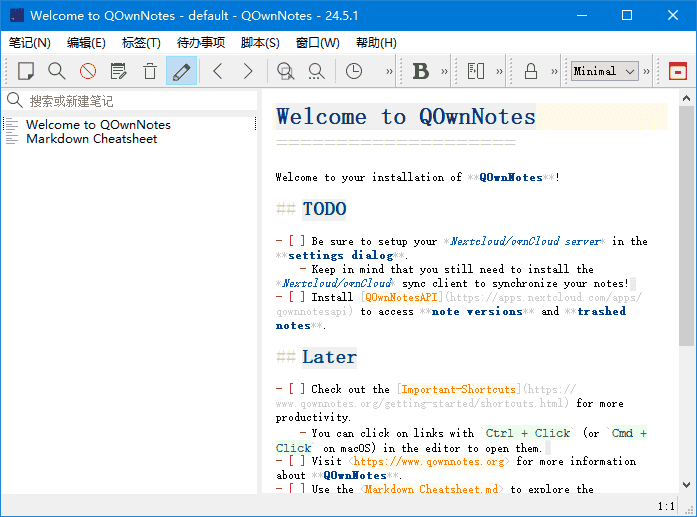
QOwnNotes是一款功能强大的跨平台笔记应用程序,可以帮助用户轻松管理笔记、任务和清单。
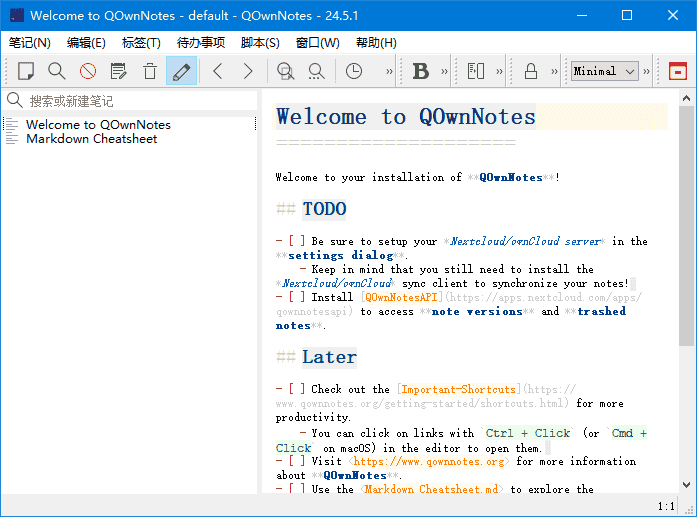
软件特点
1.支持多种编辑器:支持Markdown、Html、和其它多种文本编辑器;
2.易于搜索:可设置快捷键进行搜索,支持正则表达式搜索;
3.多个账户:可以管理多个账户,并可以自定义设置;
4.可定义笔记标签:可以使用标签来组织笔记,方便查找;
5.全文搜索:支持全文搜索,可以在整个笔记库中搜索文本;
6.数据同步:可以通过多种方式进行数据同步,包括Dropbox、Nextcloud等;
7.导出功能:可以通过PDF、HTML等格式导出笔记。
更新日志
26.3.23
A warning dialog is now shown when deleting a note (or multiple notes)
that are referenced by links in other notes, informing the user that the
deletion will leave those links broken and offering the option to cancel;
the check is performed for both single-note removal and bulk removal
(for #3202)
When a note subfolder is renamed, a confirmation dialog is now shown
offering to update all relative Markdown links
(text and <https://www.danlong360.com/post/old_folder/note.md>) across
affected notes to reflect the new folder name; both plain and URL-encoded
path variants are handled (for #3213)
Added a new Color modes settings page under Interface settings that allows
users to create custom color mode profiles with dark mode, icon theme, and
cannot be deleted, while users can create as many custom modes as needed
(for #3526)
The dark mode settings, icon theme settings (internal/system/dark mode icon
theme), and editor color schema selection were moved from the Interface and
Editor settings to the Color modes page
Replaced the Qt5 AppImage build with the Qt6 AppImage build in the release
workflow so the primary AppImage now ships with Qt 6.10.2 instead of Qt 5.15.2,
bringing improved scripting support, QML/Quick integration and OpenSSL 3;
the release asset name QOwnNotes-x86_64.AppImage is preserved so the
in-app auto-update process continues to work seamlessly
(for #3074)
The Qt6 AppImage, which was on Qt 6.5.3, was made ready to work with Qt 6.10.2








暂无评论内容