


本文来源:87软件库|绿色软件+破解游戏下载站
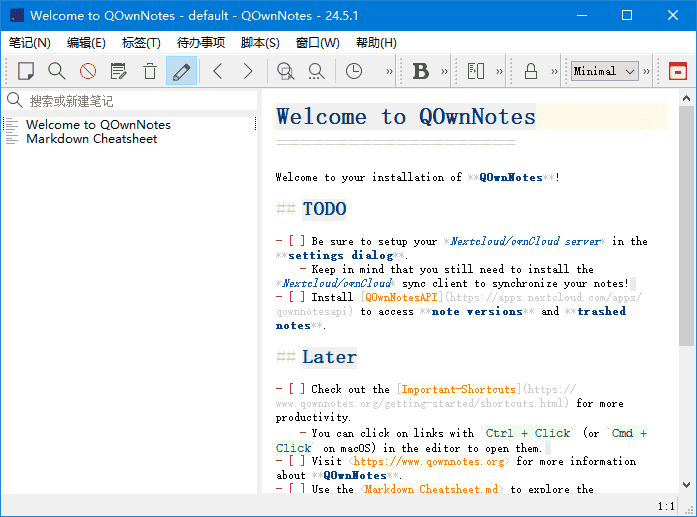
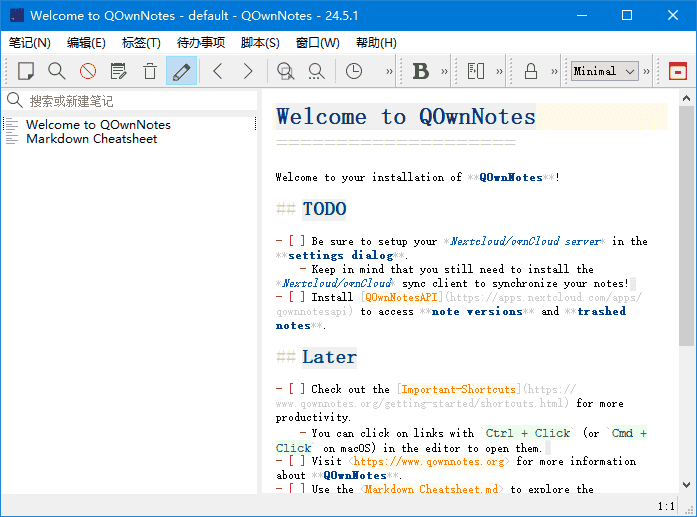
QOwnNotes是一款功能强大的跨平台笔记应用程序,可以帮助用户轻松管理笔记、任务和清单。
软件特点
1.支持多种编辑器:支持Markdown、Html、和其它多种文本编辑器;
2.易于搜索:可设置快捷键进行搜索,支持正则表达式搜索;
3.多个账户:可以管理多个账户,并可以自定义设置;
4.可定义笔记标签:可以使用标签来组织笔记,方便查找;
5.全文搜索:支持全文搜索,可以在整个笔记库中搜索文本;
6.数据同步:可以通过多种方式进行数据同步,包括Dropbox、Nextcloud等;
7.导出功能:可以通过PDF、HTML等格式导出笔记。
更新日志
QOwnNotes – Version History
https://github.com/pbek/QOwnNotes/releases/
26.4.1
Implemented QLiteHtml preview underline rendering so that when Enable underline
rendering is turned on, Markdown like underline and underline
is rendered as underlined text instead of bold or italic in the preview
(for #3533)
Updated menu action text Use softwrap in note editor and preview to
Use softwrap in note editor, since the QLiteHtml preview is always softwrapped
for #2566)
Fixed the main window and panel sizes not being persisted when closing the
application: resized dock panels, toolbar layout and the main window geometry
are now stored during the actual close event and correctly rmvLMuPiestored on the
next start (for #3532)
Changed the visual marker and wording for pinned note tabs: sticky tabs now use
a pushpin symbol instead of a flag, and the related action and tooltip text now
consistently refer to pinning and unpinning tabs
(for #2595)
Fixed the read-only status bar button becoming visible even when note
editing was allowed, which occurred when enabling the read-only mode feature
for the first time in the settings and then closing the dialog; the toolbar
action and the status bar button are now always kept in sync
(for #3529)
Fixed a crash in the Find action command bar by hiding the Find action
entry from the dialog itself, preventing recursive reopening of the command
bar and the follow-up crash when another action was selected afterward
(for #3530)
版权所有:https://87.nb87.com








暂无评论内容